
Everything you need.
Nothing you don't.
Finboo is a web-based budgeting app that works on your phone and your computer. It shows what happened with your money, and Ask Bam helps you understand why.
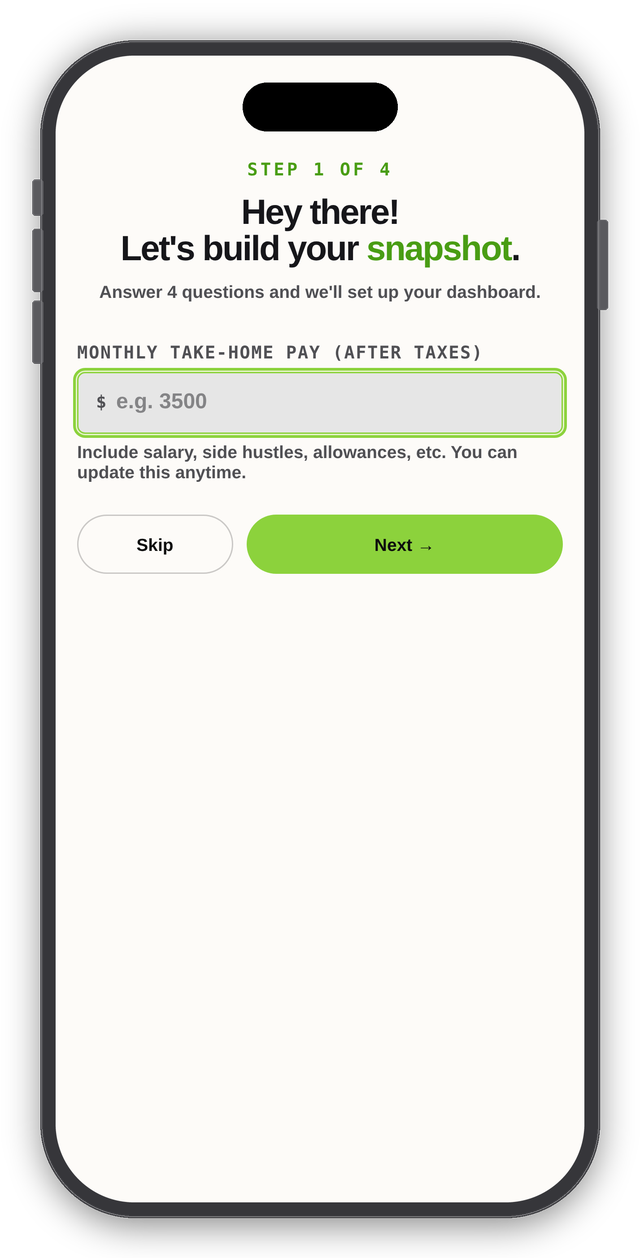
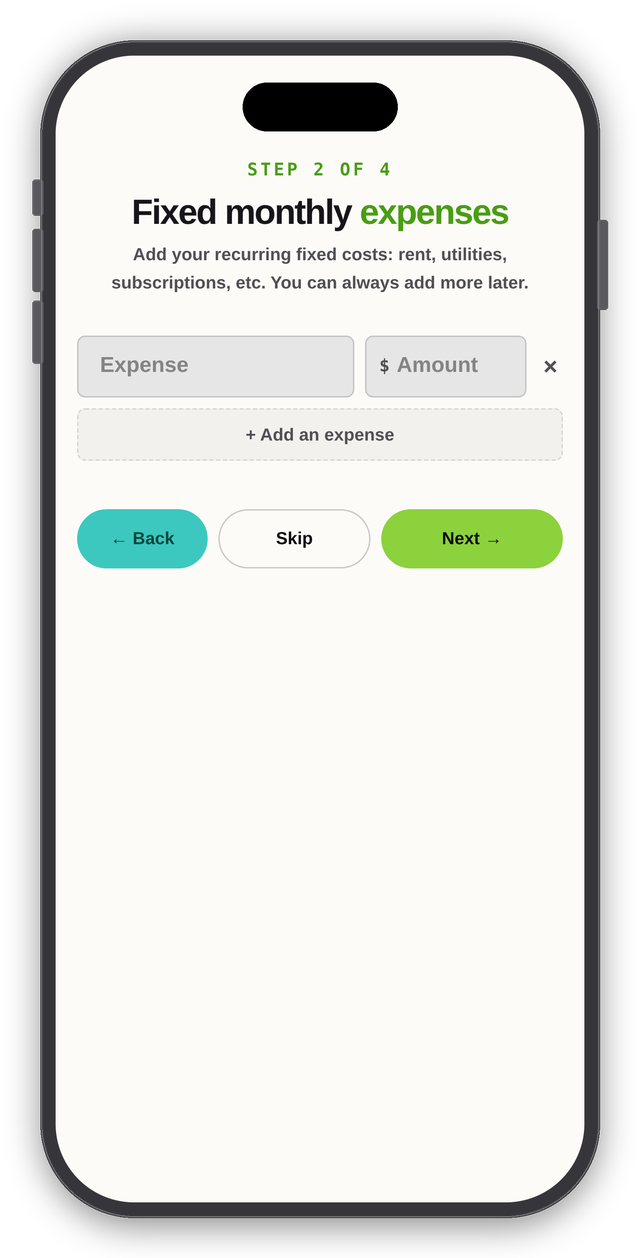
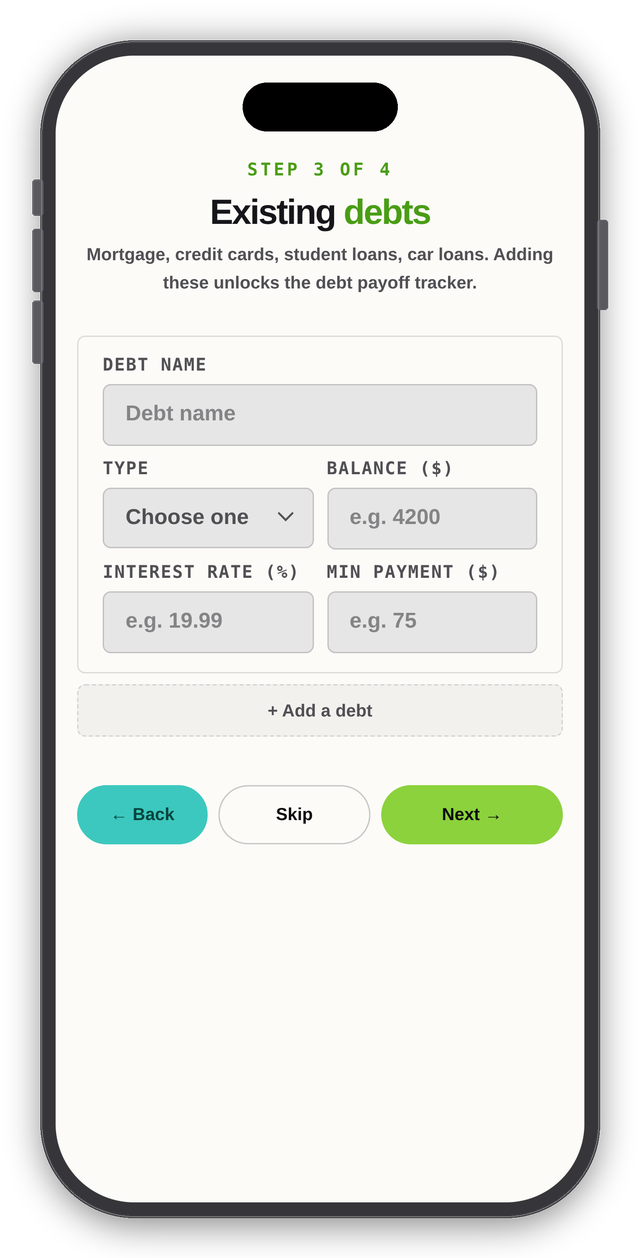
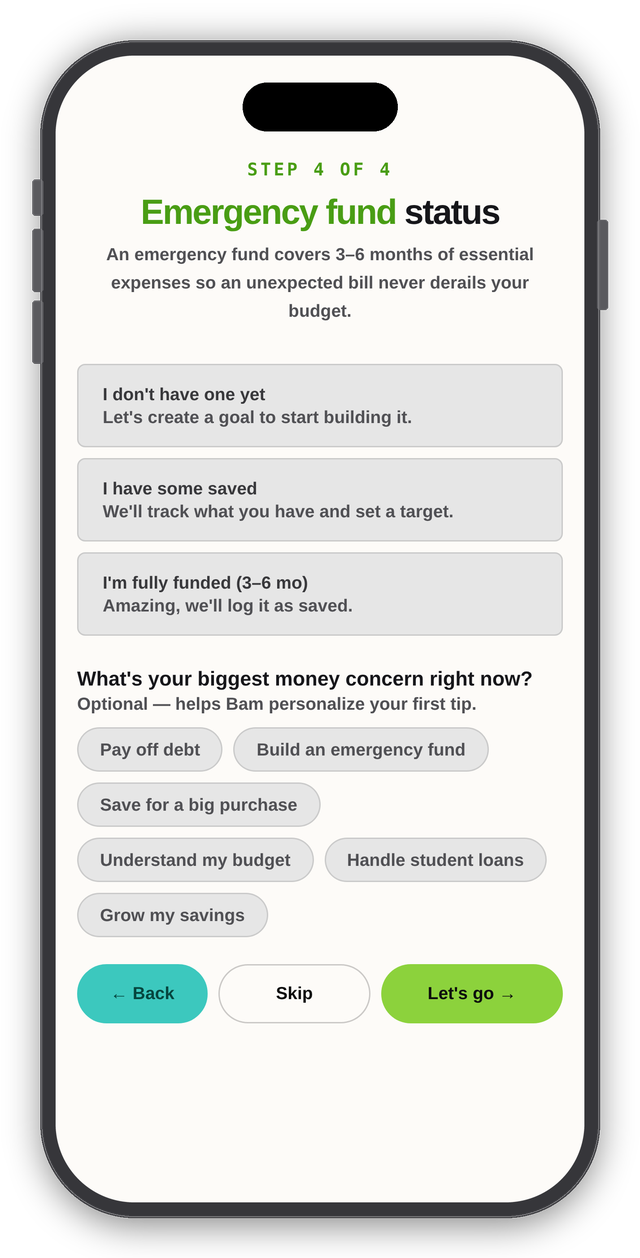
Set up in four quick steps
Answer four questions and Finboo builds your starting dashboard. Every step can be skipped, and you can add more detail later.
What's inside
Six screens, one clear picture of your money.
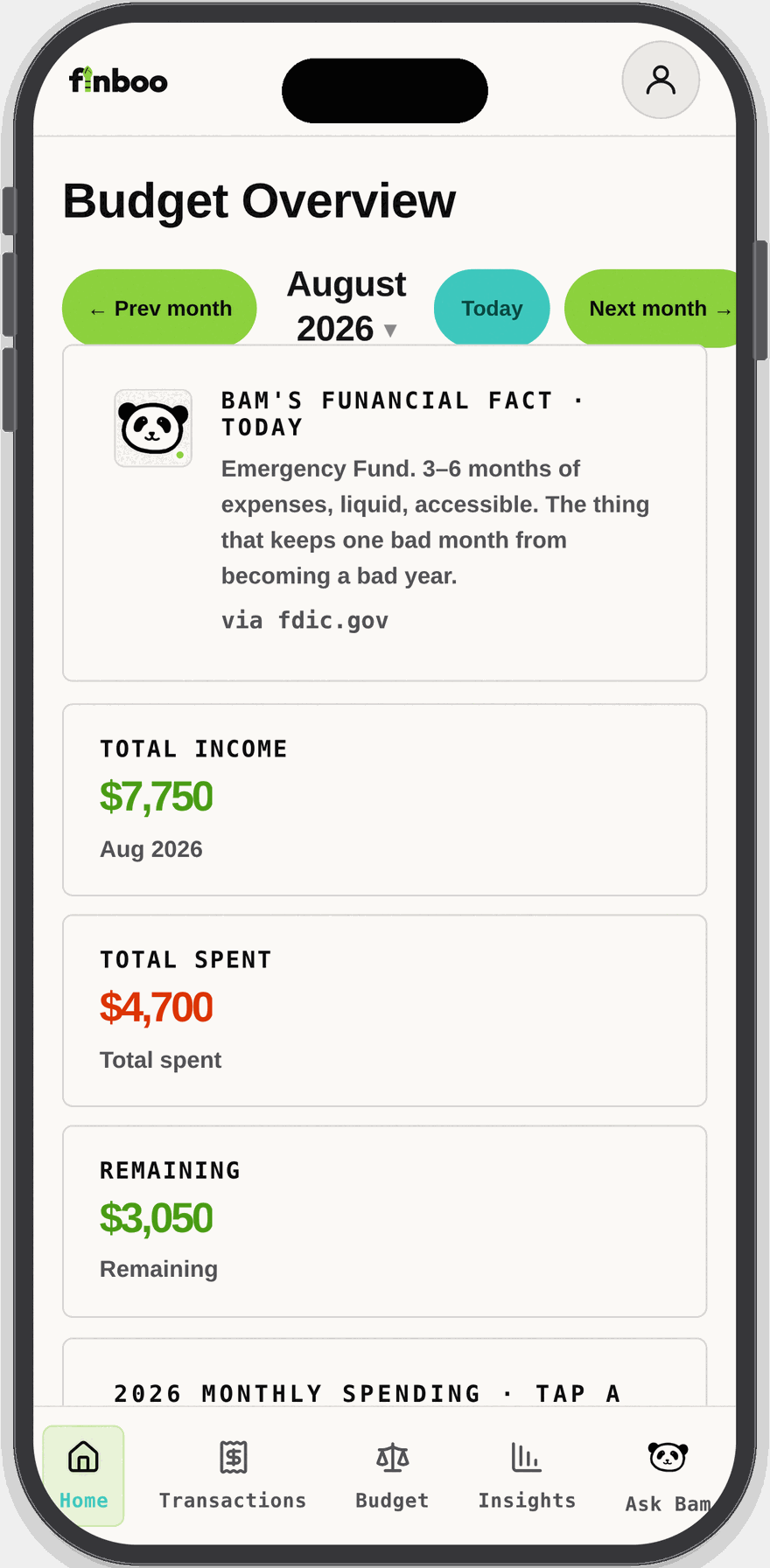
A dashboard that answers "where do I stand?"
Open Finboo and see your month in one place: income, what you have spent, and what is left. Browse month by month.
- Income, total spent, and remaining for the month
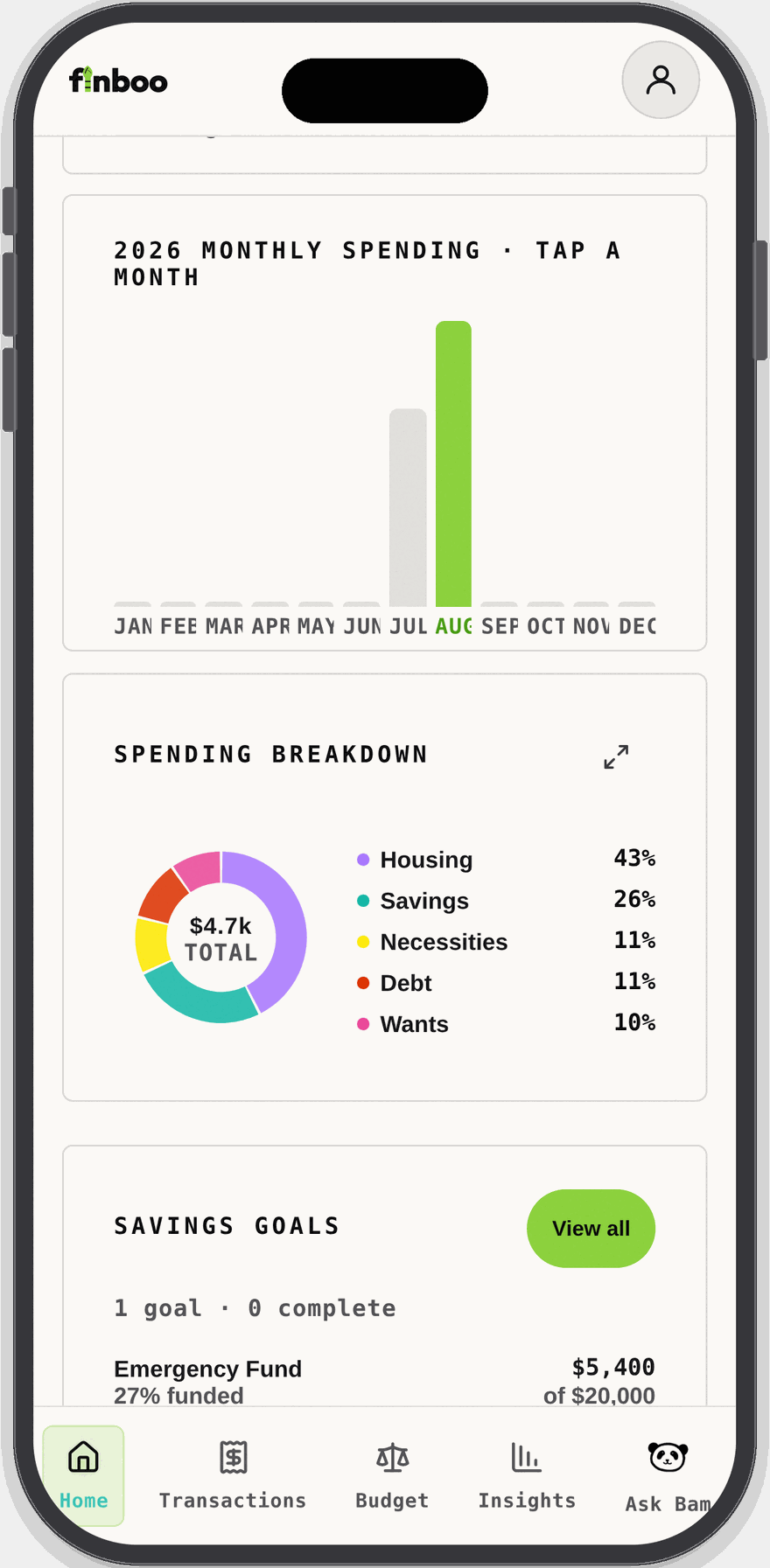
- A year-at-a-glance monthly spending chart
- Savings goals with progress toward each target
- Bam's daily Fun-ancial fact, with its source
See where the money actually went
A spending breakdown groups your money into Housing, Savings, Necessities, Debt, and Wants, so patterns are obvious without a spreadsheet.
- Donut breakdown by category with percentages
- Tap a month to compare against any other month
- Expand the chart for a closer look
Log spending your way
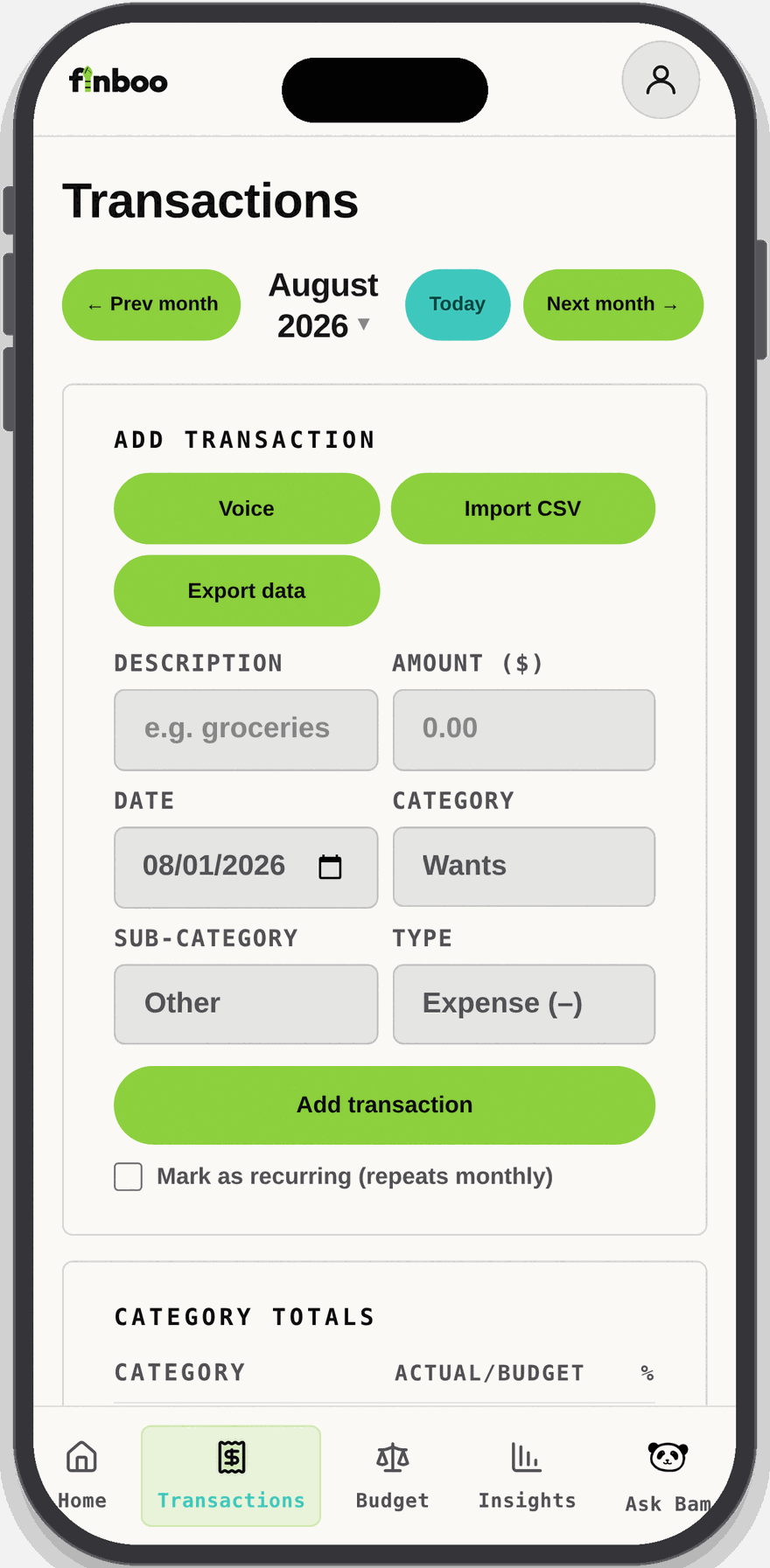
Add a transaction in seconds, say it out loud, or bring in what you already have. Your data stays portable.
- Quick add with category, sub-category, date, and type
- Many common transactions are auto-categorized for quick entry
- Voice entry and CSV import
- Mark an item as recurring so it repeats monthly
- Export your data any time
A budget that fits how you think
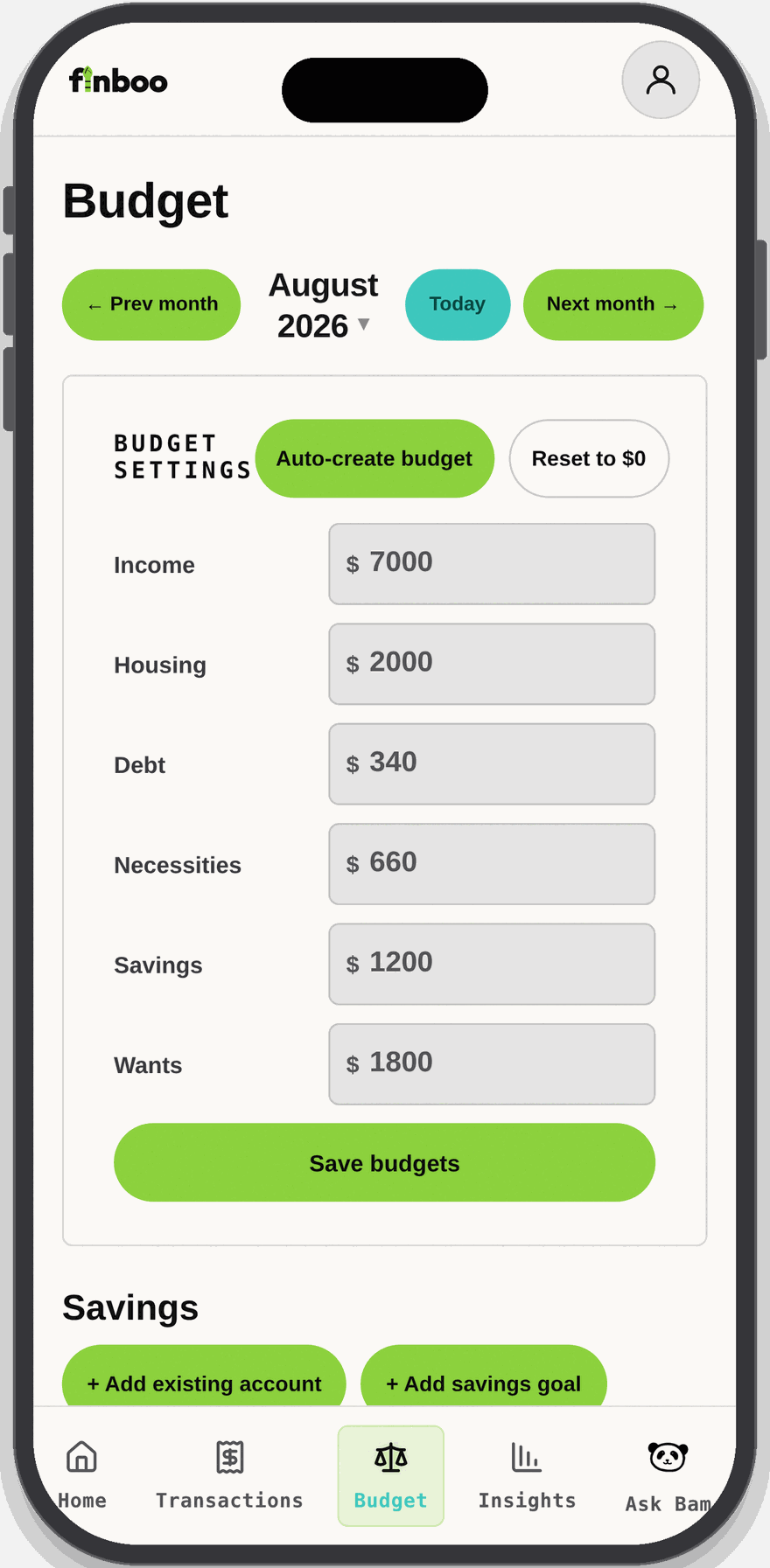
Set an amount for each category yourself, or let Finboo auto-create a starting budget. Keep it simple or go detailed.
- Auto-create a budget based on the 50/30/20 rule
- Budget settings can be modified to fit your needs
- Savings accounts and goals alongside your budget
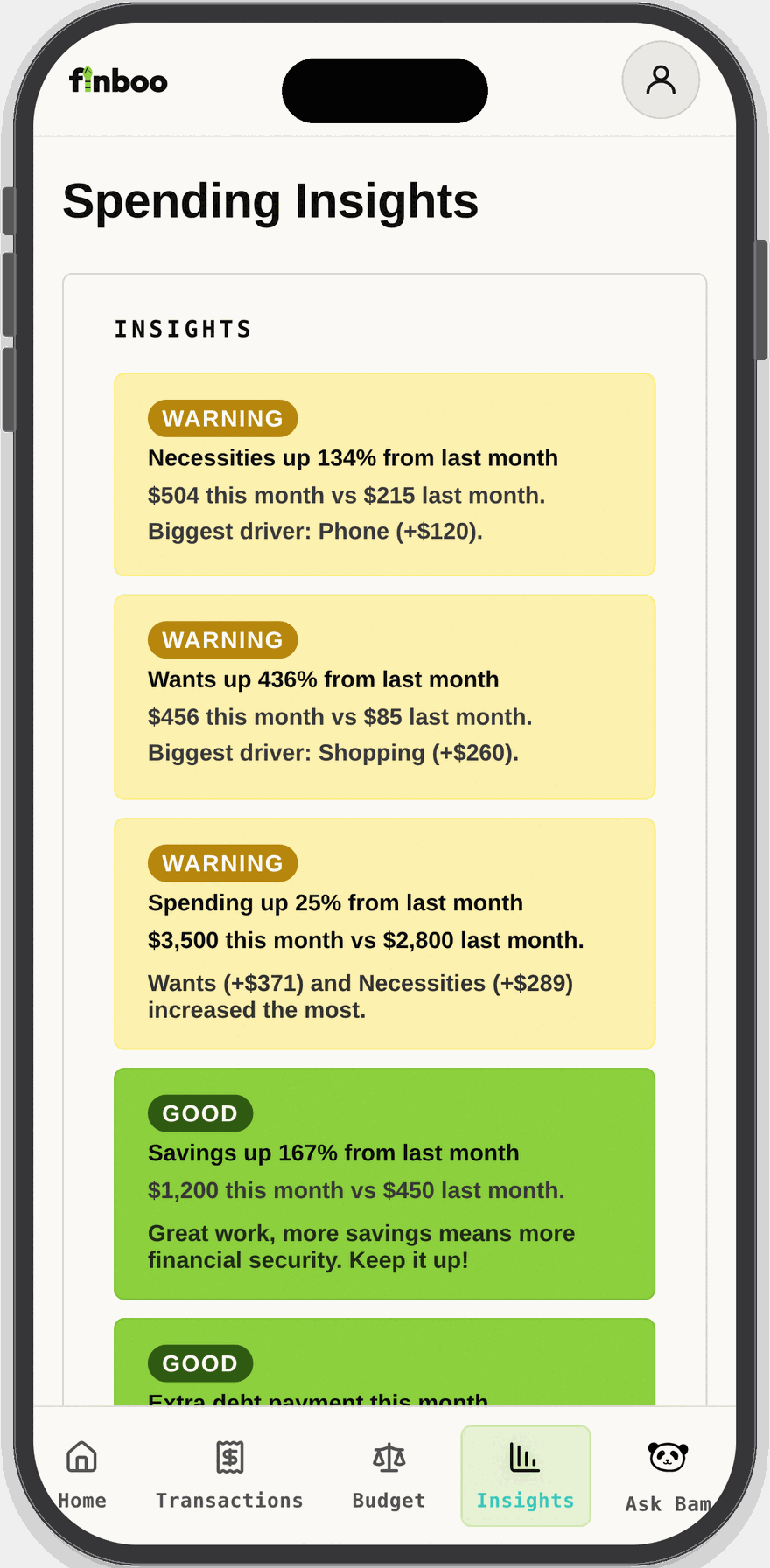
Plain-language nudges, not just charts
Finboo compares this month to last and tells you what changed and what drove it, flagging warnings and celebrating wins.
- Month-over-month changes by category
- Year-over-year income, spending, and category changes
- Savings growth trends over time
- The biggest driver behind each change
- Clear "warning" and "good" labels
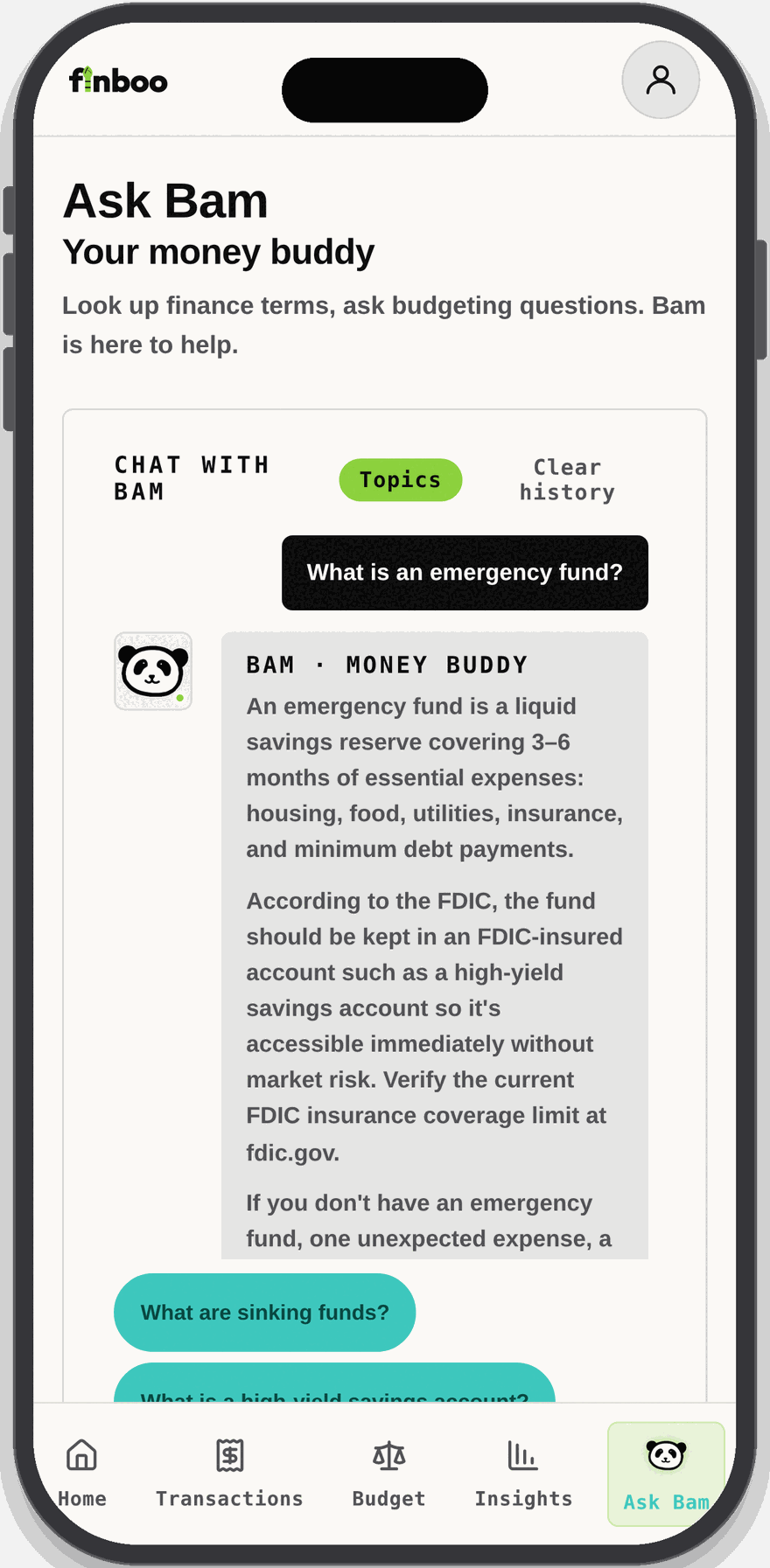
A money buddy who explains the "why"
Ask Bam answers personal finance questions in plain language, from emergency funds to credit scores. Definitions draw on vetted public sources such as investor.gov, cfpb.gov, irs.gov, and fdic.gov.
- Browse topics or ask your own question
- Guided follow-up questions to keep learning
- Visual explanations of concepts like compound interest
- Educational information, not financial advice
Who Finboo is for
Start without the jargon
Plain-language explanations and an auto-created budget get you going without a finance degree.
Simple by default
See the numbers that matter first. Add detail only when you want it.
Learn as you go
Ask Bam explains terms and concepts, with guided follow-ups and visual examples.
Stay in control
Import and export your data, set per-category budgets, and track recurring items.
Finboo provides educational information and budgeting tools, not financial, legal, or tax advice.
Join our mailing list
Start your budgeting journey. Free to join.
By joining you agree to our Terms of Use and Privacy Policy.